Interaction design with Claude
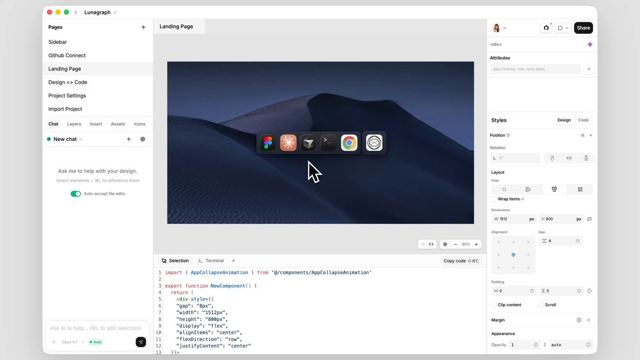
Example of how to design a click animation with Claude on the Lunagraph canvas. A process reference.
Post text
interaction design isn't a separate tool anymore. canvas is code → just ask @claudeai to animate on click. it's just another thing you design *together* with claude. this is me designing a click animation on @lunagraphHQ: → design the icons/dock on the canvas → ask @claudeai to animate on click → get controls for timing, easing, blur → tweak until it feels right no new app. no deploying prototypes. same canvas the design already lives on. output is a React component.
Open the post on X ↗Open in the archive
Similar references
- Space travel in HTML and D3 with Claude · @0interestrates
- Animating Grok images with AI · @techhalla
- Experiments in Framer · @tonjrv
- Onboarding with real cases in motion · @oykun
- Gradient border by rotating one layer · @jh3yy
- IconFlow: animated icons with AI · @tranmautritam